Umamusume Friend Finder Guide: Find the Right Trainer ID
Search by borrowed support card, legacy factors, affinity, and server before you follow a Trainer ID in Umamusume: Pretty Derby.

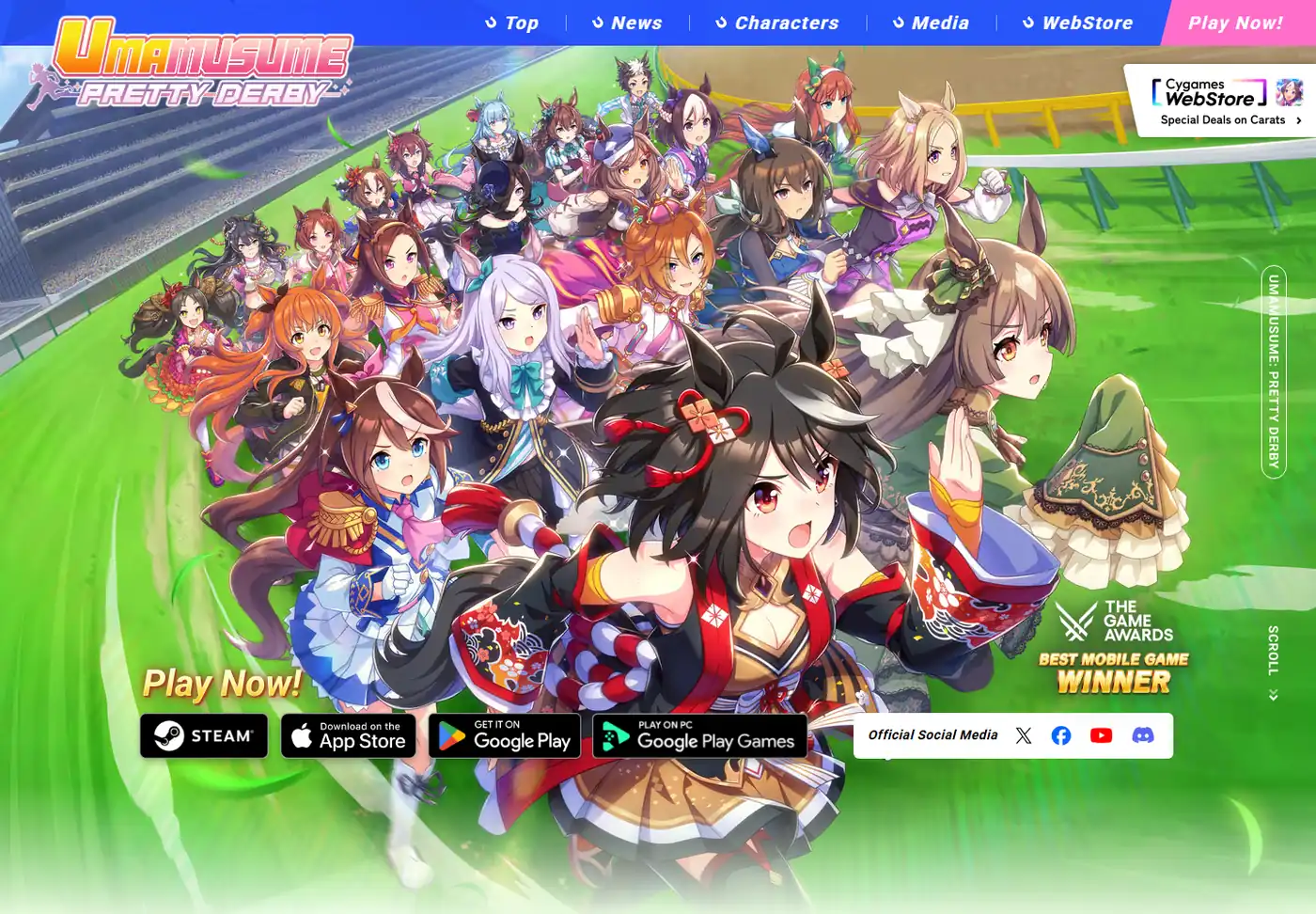
Quick answer: An Umamusume friend finder is usually a community database that lets you filter public Trainer IDs by borrowed support card, limit break, character, legacy factors, skills, affinity, or record freshness. Use it to build a shortlist, verify the server and displayed setup, then enter the chosen Trainer ID through the in-game friend or follow screen.
What Is an Umamusume Friend Finder?
An Umamusume friend finder helps you locate public Trainer IDs that offer something useful to borrow. The useful thing may be a max-limit-break support card, a parent with specific red or blue factors, a useful white-factor package, or a lineage that fits a target trainee. The finder does not replace the game. It reduces the time spent opening random profiles and copying IDs that do not solve your build.
The key is to start with a training requirement, not with a famous account. A card that is excellent in one scenario can be the wrong borrow for another deck. A parent with many stars can still be poor when its distance factor, running-style factor, or ancestry conflicts with your target. Search tools are most valuable when you define the non-negotiable requirement first and treat popularity as a secondary signal.
Community databases change quickly. Owners can replace their support card, rotate a representative, reach the follower limit, or stop updating a record. Always verify the displayed information and keep a backup ID instead of assuming one result will remain available forever.
Borrowed support
Find a support card, rarity, level, and limit-break state that fills the missing role in your deck.
Legacy candidate
Search public parents by trainee, factor colors, stars, skills, ancestry, and affinity.
Trainer ID
Copy a public ID only after confirming the server, current representative, and last-known record freshness.
Choose the Search Option That Matches Your Goal
Different pages called a friend finder may solve different jobs. Use the narrowest option that can answer your question, and avoid treating a tier list or a general database as if it were a live friend roster.
| Option | Best for | Strength | Main limitation |
|---|---|---|---|
| In-game ID search | Adding one known Trainer ID | Official final step and the most direct verification | You need an ID first and may see follow or server limits |
| Community friend database | Finding support cards or public parents | Filters thousands of shared records by card, factors, skills, affinity, and freshness | Records are community-maintained and can become outdated |
| Shared profile link | Checking one recommended account | Easy to review and share a specific support or lineage | A profile is not a complete market comparison |
| Lineage planner | Testing whether a parent fits a family tree | Shows ancestry structure before you commit to a borrow | It does not guarantee that the Trainer ID is currently followable |
Use Filters That Match the Build, Not Just the Highest Score
A good friend search usually has two passes. The first pass removes results that cannot work: wrong server, wrong support type, missing limit break, wrong trainee, or missing mandatory factor. The second pass compares quality signals such as affinity, white factors, useful skills, race history, follower availability, and update date.
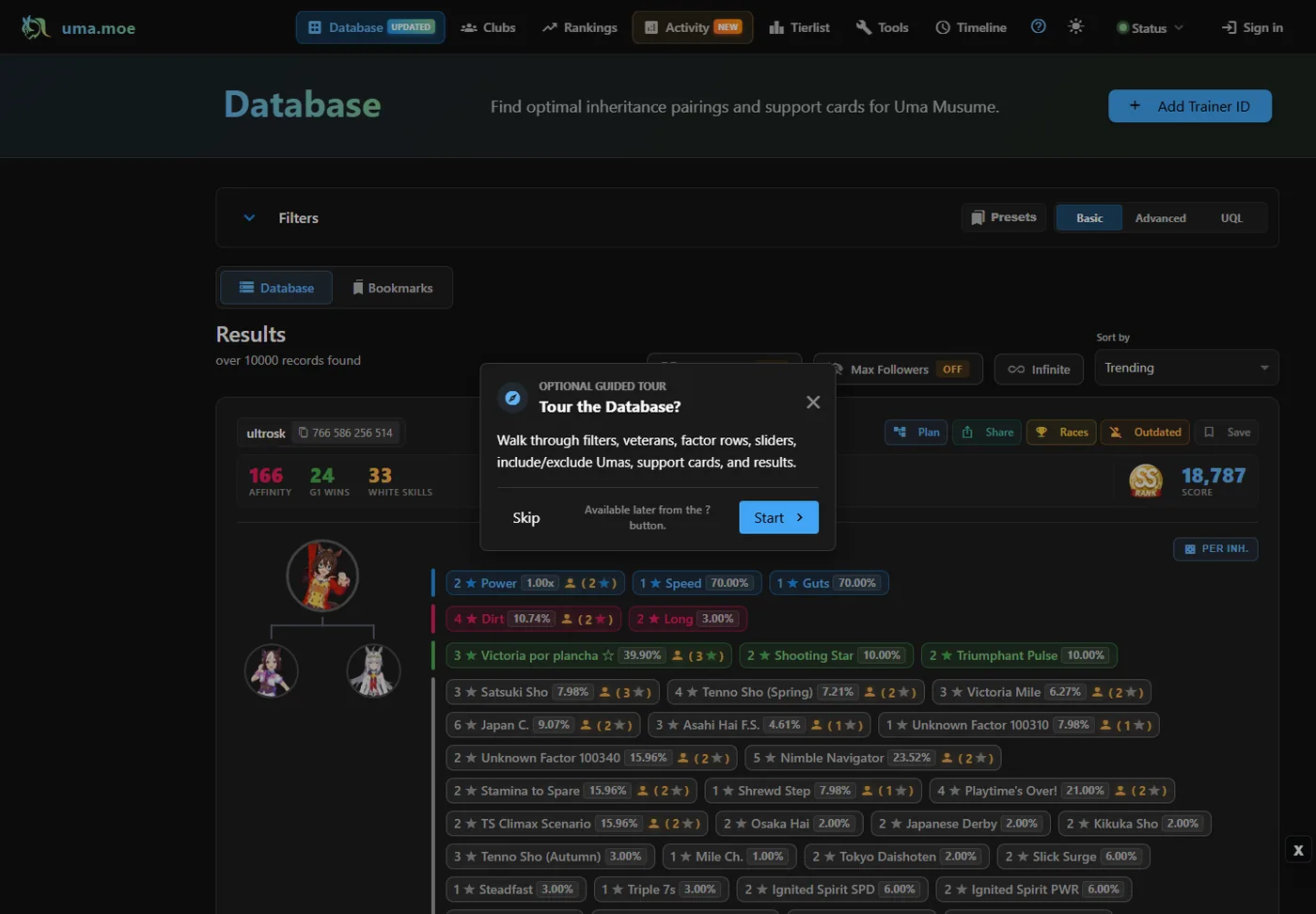
The database screenshot below shows why a focused query matters. One record can include a Trainer ID, affinity, wins, white skills, parent branches, factor odds, and sorting controls. If you search every field at once, you can accidentally remove workable candidates. Begin with one mandatory need, then add filters one by one.
- Server or version: A Japanese-server account and a global-server account are not interchangeable. Confirm the destination before copying an ID.
- Support card role: Filter by card, type, level, and limit break only after deciding which deck slot the borrow must replace.
- Parent identity: Choose the trainee and ancestry constraints needed for the target character rather than selecting any high-rank parent.
- Factor colors and stars: Lock mandatory distance, surface, or running-style factors first; compare blue and white factors after the build requirement is met.
- Affinity and ancestry: Use affinity as a fit check, not as a universal ranking. Duplicate ancestry and target-specific compatibility still matter.
- Freshness and availability: Prefer recently verified records and save more than one candidate because representatives and follower slots can change.
A Five-Step Umamusume Friend Search Workflow
This workflow keeps the search tied to the training plan and prevents a convenient public ID from quietly changing the intended build.
- Write one mandatory requirement. Examples include a specific max-limit-break Speed support, a 3-star Long factor, a Dirt factor, or a parent carrying a required inherited skill.
- Open a community database and set the server. Use the global or Japanese dataset that matches the game account. If the tool does not label servers clearly, verify the profile source before continuing.
- Apply the smallest useful filter set. Start with the required card or factor. Add level, limit break, affinity, skills, or ancestry only when the result set is still too broad.
- Shortlist two or three Trainer IDs. Record the support or parent offered, update date, and why each candidate fits. A backup prevents a full restart when an account is full or changes representatives.
- Verify and follow inside the game. Use the in-game friend or follow screen to enter the ID, confirm the displayed representative, and stop if the server, card, factors, or account identity do not match the source record.
How to Evaluate a Friend Finder Result
Do not rank candidates by one large number. A borrowed support card should be judged by the job it performs in the actual deck. A legacy candidate should be judged by the final family tree and the target race. The best result is the one that removes the largest constraint without creating a more expensive problem elsewhere.
For example, borrowing a premium Speed card can be correct when your own deck already supplies recovery and scenario mechanics. The same card can be wasteful if the build actually fails because it lacks a required wisdom tool, friend card, or distance factor. Likewise, a parent with lower displayed affinity can remain better if it supplies the exact red factor and inherited skill the race plan needs.
| Check | For a support-card borrow | For a parent or legacy borrow |
|---|---|---|
| Mandatory fit | Correct card, type, level, and limit break | Correct trainee, server, factor color, and required stars |
| Deck or lineage fit | Complements owned cards and scenario needs | Works with both sides of the planned family tree |
| Secondary value | Training bonus, hints, race bonus, specialty rate, utility | Blue factors, white factors, skills, race factors, affinity |
| Freshness | Representative still matches the listing | Parent and factor record still matches the listing |
| Availability | Follow slot and borrow access are open | Trainer ID resolves and the representative is selectable |
Friend Finder vs Parent Finder: Keep the Intent Separate
Friend finder is the broader access problem: locate a public Trainer ID that offers a useful support card or representative. Parent finder or legacy search is the narrower inheritance problem: locate a parent whose factors, ancestry, compatibility, and inherited skills solve a breeding target. The same community database may support both workflows, but the decision criteria are different.
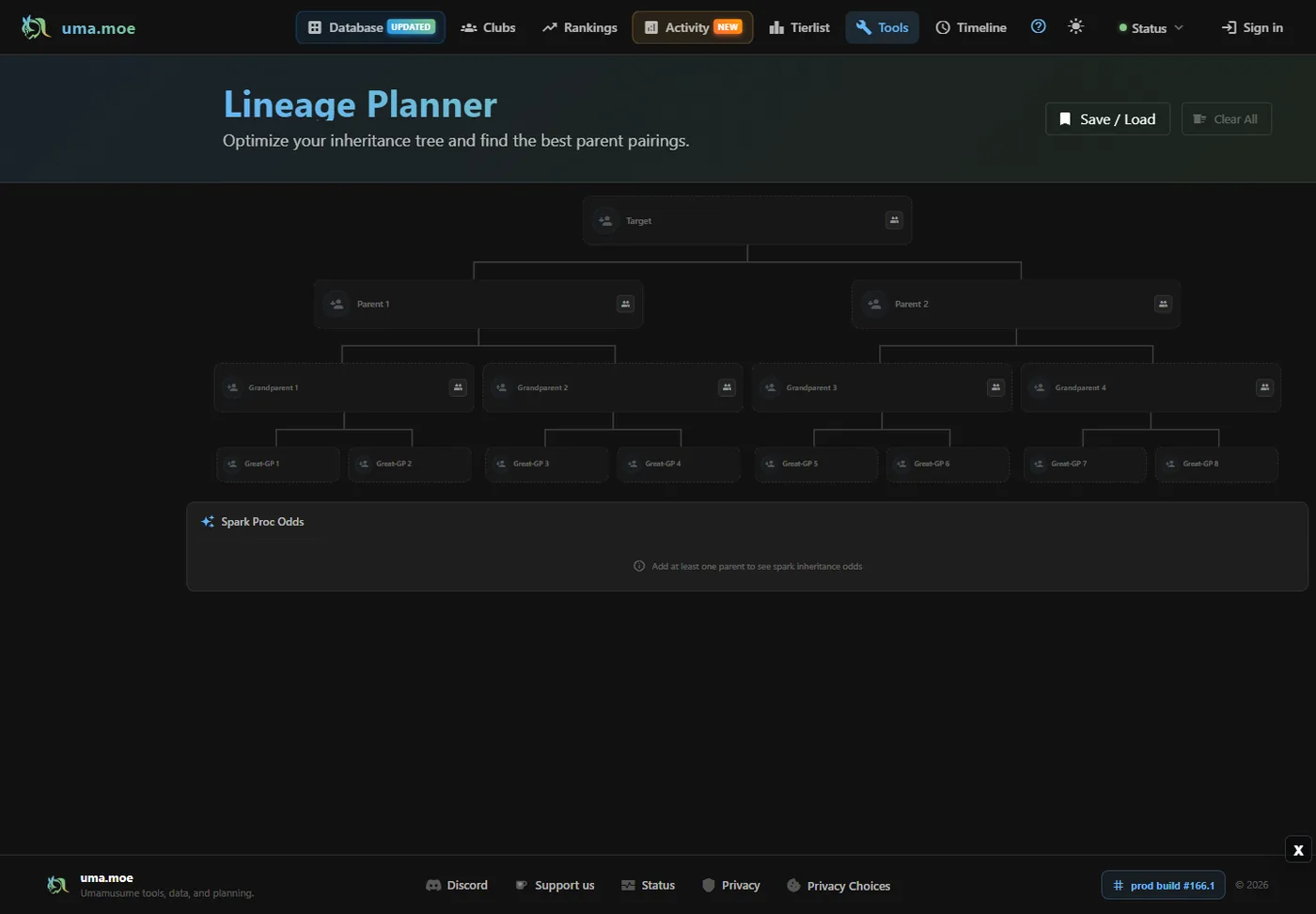
When inheritance is the real goal, move the shortlisted parent into a lineage view before following the account. This exposes duplicate ancestry, missing branches, and whether the attractive factor package actually belongs in the target tree. It also keeps a high-star profile from replacing the race requirement you wrote at the start.
Continue with the site's Umamusume inheritance guide, support card tier-list guide, race planner to keep the friend search connected to the build you will train and test.
Record Freshness, Privacy, and Common Failure Points
A public Trainer ID is designed to be shared for player discovery, but it is not a login credential. A legitimate friend finder should not require your game password, transfer code, email password, payment information, or account recovery data. Use read-only search pages when possible and follow the account through the official game interface.
A failed ID does not automatically mean the database is fraudulent. The owner may have changed servers, removed a representative, reached a follower cap, edited the shared profile, or stopped maintaining the record. Treat search results as time-sensitive leads rather than permanent guarantees.
- Confirm global versus Japanese server before troubleshooting the ID.
- Compare the in-game representative with the database listing before following.
- Keep a backup candidate for important training or Champions Meeting preparation.
- Never enter login, transfer, recovery, or payment credentials into a friend-search database.
- Report stale or misleading community records through the tool's own feedback channel when available.
Umamusume Friend Finder FAQ
Is an Umamusume friend finder official?
Usually no. Friend finders and searchable Trainer ID databases are generally community tools. Use them to locate candidates, but add or follow the ID through the official game interface and verify the displayed representative before relying on it.
Can I use a Japanese Trainer ID on the global server?
Do not assume IDs work across servers. Confirm that the listing belongs to the same game region or server as your account. A server mismatch is one of the first things to check when an ID cannot be found.
What is the difference between friend finder and parent finder?
Friend finder locates a public Trainer ID that offers a useful support card or representative. Parent finder focuses on inheritance candidates, factors, ancestry, affinity, and inherited skills. One database may contain both, but they serve different decisions.
Why does a Trainer ID no longer show the listed support card?
Community records can become stale after an owner changes the representative, updates the account, reaches a follower limit, or stops syncing the profile. Check the record date and keep a backup candidate.
Which filters should I set first?
Start with the one non-negotiable requirement: server plus a specific support card, limit break, trainee, factor, or inherited skill. Add affinity, white factors, secondary bonuses, and freshness only after the mandatory requirement is satisfied.
Is it safe to share a Trainer ID?
A public Trainer ID is intended for player discovery, but you should never share passwords, transfer codes, recovery data, email credentials, or payment details. A friend finder only needs public profile information.
Build a Shortlist, Then Verify It in Game
The fastest Umamusume friend finder workflow is not the one with the most filters. It is the one that begins with a single build requirement, narrows a trustworthy community dataset, keeps two or three alternatives, and confirms the final representative inside the game.
Use friend search to gain access, support-card analysis to judge the borrowed card, inheritance planning to judge a parent, and race tools to test the completed build. Keeping those jobs separate produces better follows and fewer wasted training attempts.
Sources and Tool Checks
Interfaces and records can change, so the linked pages were checked on July 30, 2026.
- Umamusume: Pretty Derby official website — Official game and platform context; source of the featured website capture.
- Pure DB Friend Finder — Community Trainer ID search with basic and advanced friend-search modes.
- Pure DB FAQ — Community documentation for friend registration, search modes, server scope, and filter behavior.
- uma.moe Database — Community database used for the search-results screenshot and filter examples.
- uma.moe Lineage Planner — Community lineage-planning interface used for the family-tree screenshot.